
Biotech, pharma and medtech
The AI platform for running a life sciences company
Cambrian tells your team what to do next, drafts and tracks the work, and shows how each decision affects your timeline, cash, enrollment and regulatory path before you make it. It covers development, manufacturing, quality, supply, finance and vendors, and it is inspection-ready from the first day.
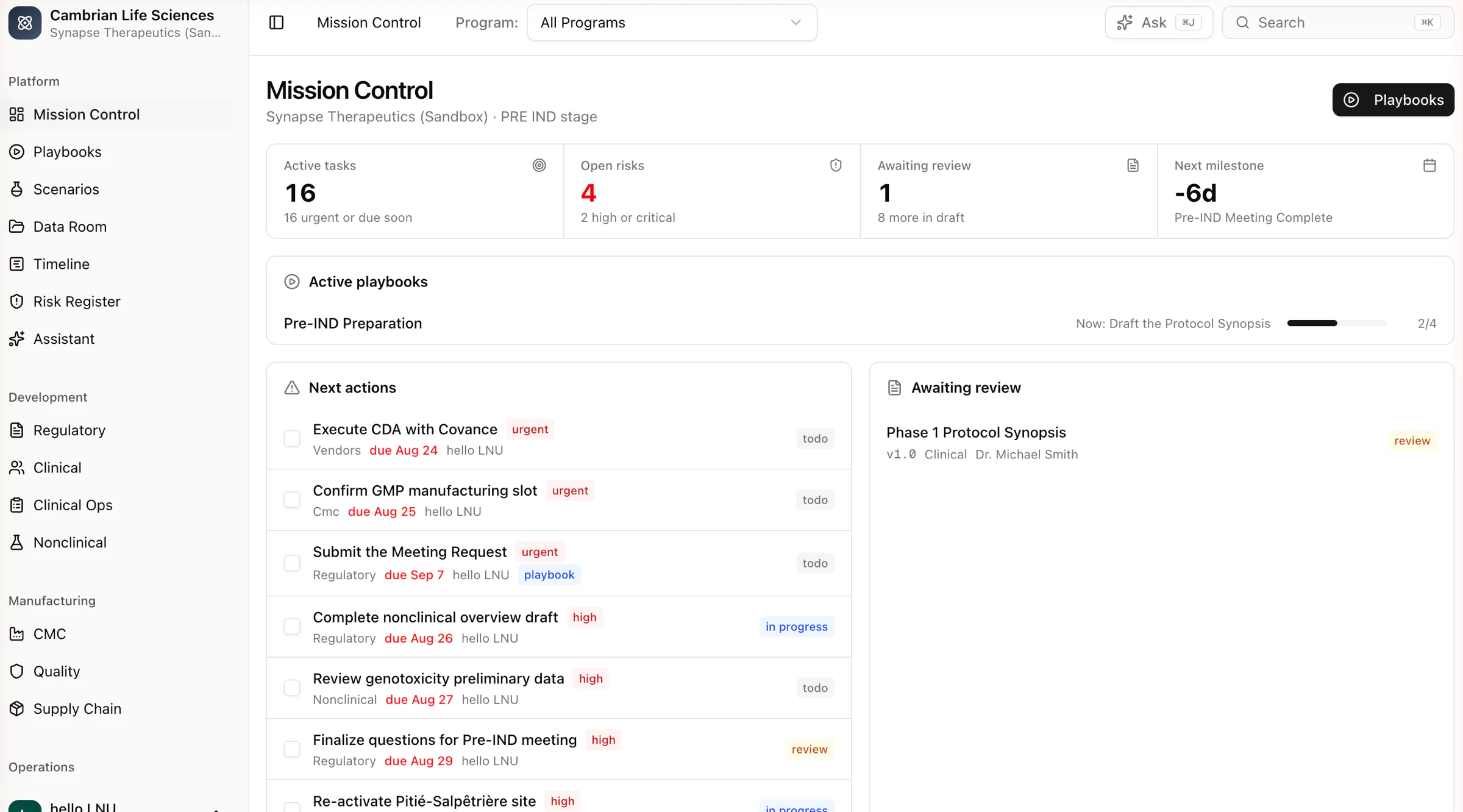
Know what to do next
Playbooks lay out the path to IND and beyond and create the tasks, documents and milestones. Mission Control shows what is due, what is blocked and what comes next.
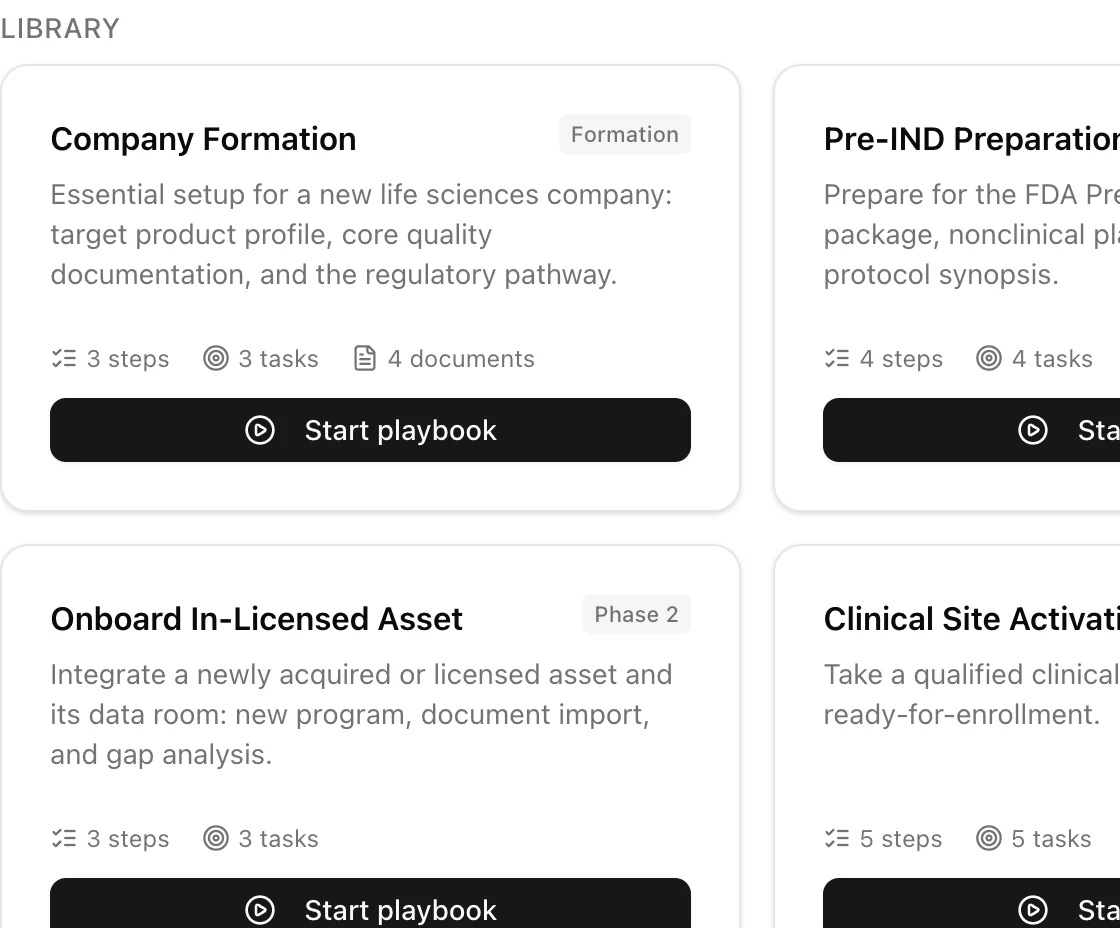
See the effect of a decision
Test a change such as adding sites, delaying a raise or choosing a different regulatory pathway. Cambrian shows the effect on timeline, enrollment, supply, regulatory path and cash as ranges, with every assumption listed.
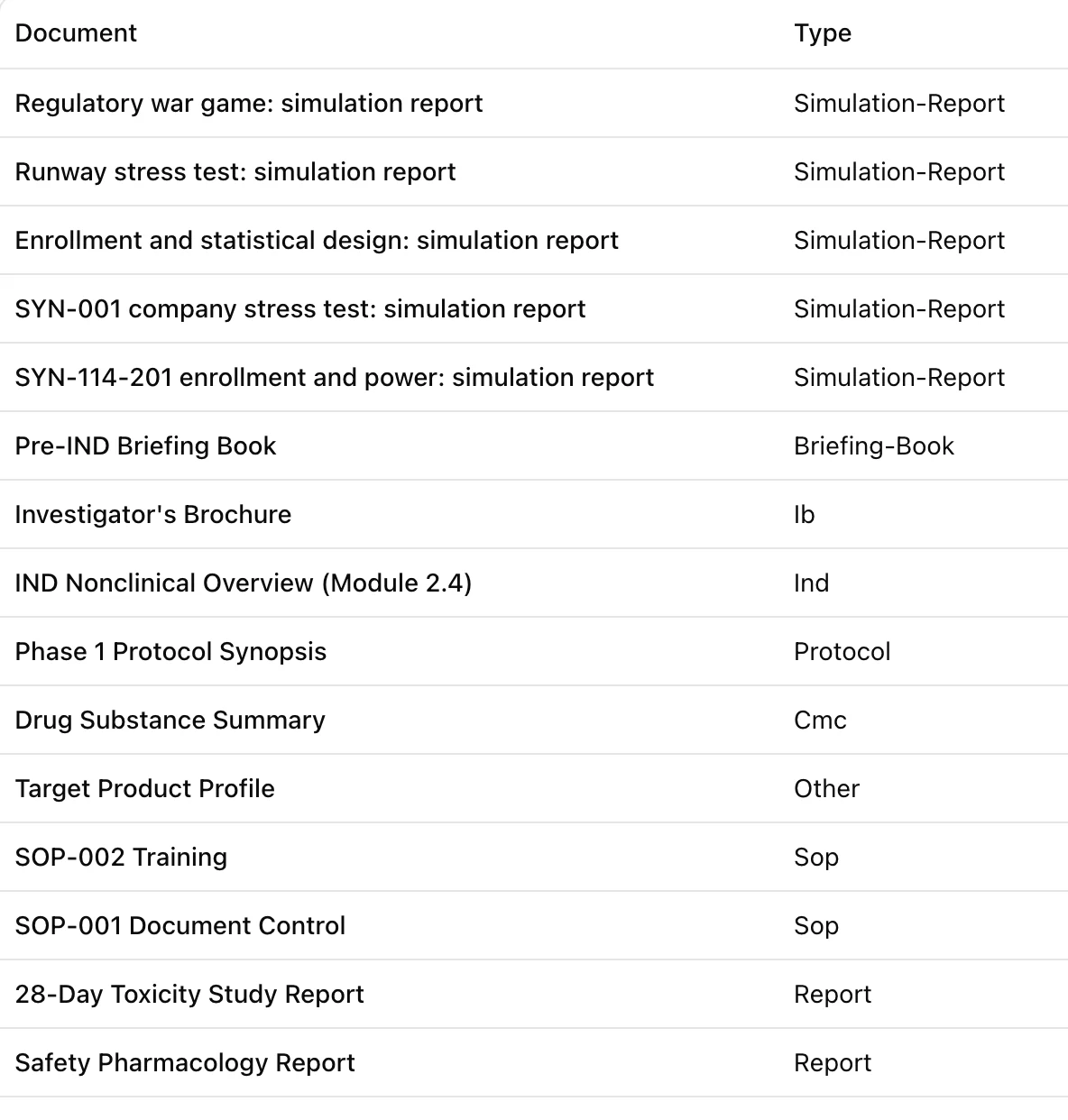
Be inspection-ready
Document versions, electronic signatures and a full change history are built in. The controls an inspector expects are in place from the first day.
How it works
How it works
Most tools only track work. Cambrian also contains the standard procedures for building a life sciences company, does part of the work itself, and shows the effect of a decision before you make it.
- 01
All company records in one place
Programs, milestones, tasks, documents, sites, batches, budgets, vendors, risks and submissions are stored once and linked to each other. Nothing is re-entered in a separate plan.
- 02
Playbooks create the work
Company formation, pre-IND preparation, IND submission, in-licensing and site activation are step-by-step procedures. Starting one creates the tasks, documents and milestones, with dependencies and completion criteria.
- 03
Scenarios test a decision
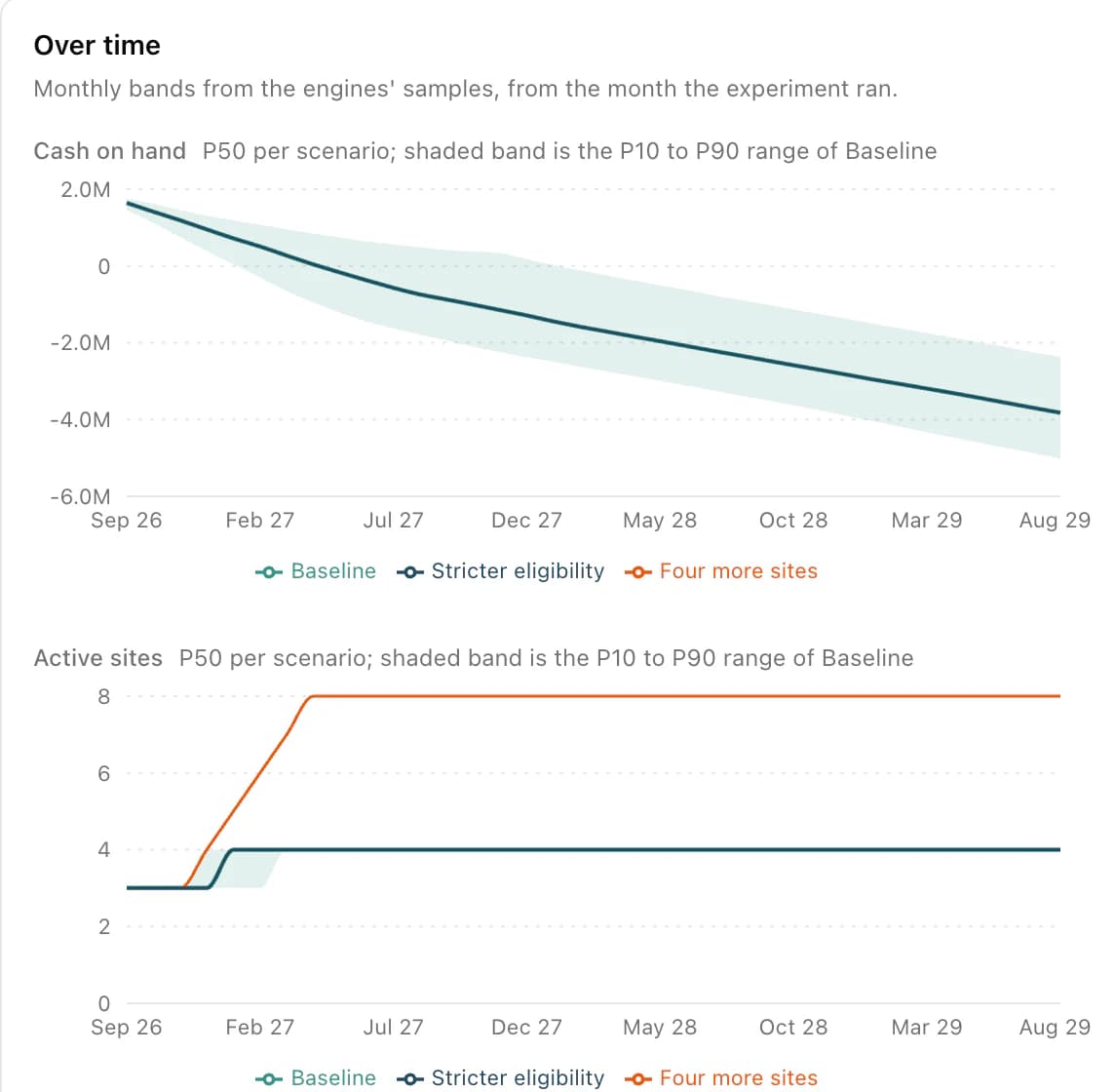
Ask what happens if you add sites, delay a raise or change the regulatory pathway. Each answer is a range, and the assumptions behind it are recorded.
- 04
Forecasts are checked against reality
Every simulation predicts your own milestone dates, site activations and cash balance. When the actual values are known, the platform scores its predictions and corrects for any bias.
Scenarios
See the effect of a decision before you make it
Should you add sites or tighten eligibility? Raise now or after the readout? Run the question on your own program. You get timelines, cash, enrollment and supply as ranges, the questions a reviewer would raise, and supporting evidence from ClinicalTrials.gov, PubMed and openFDA.
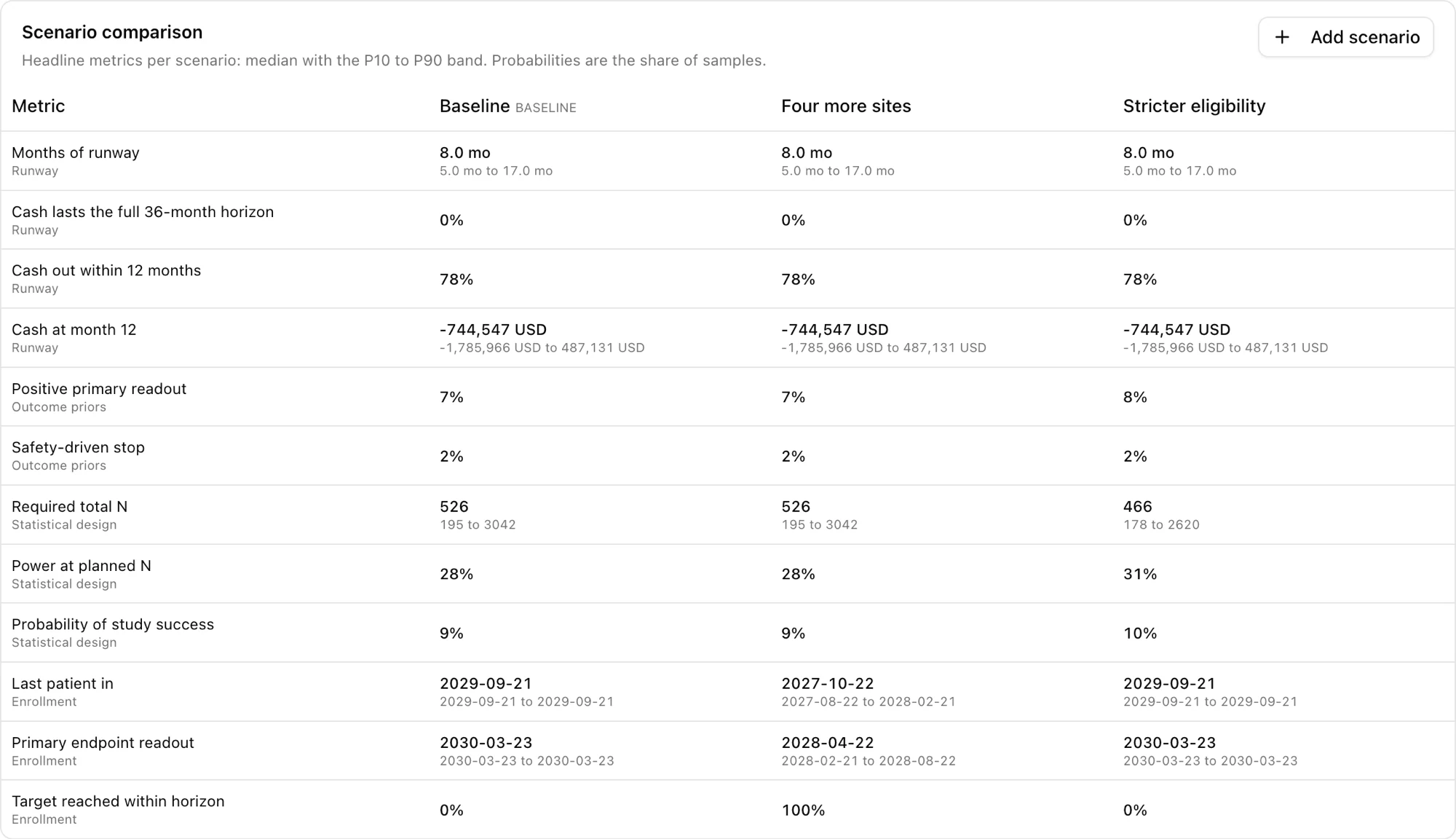
Scenario comparison
Compare scenarios side by side
Each scenario, for example the baseline, four more sites or stricter eligibility, is run the same way on the same program. Each result shows the median, the P10 to P90 range and the probability.
Findings and expert panel
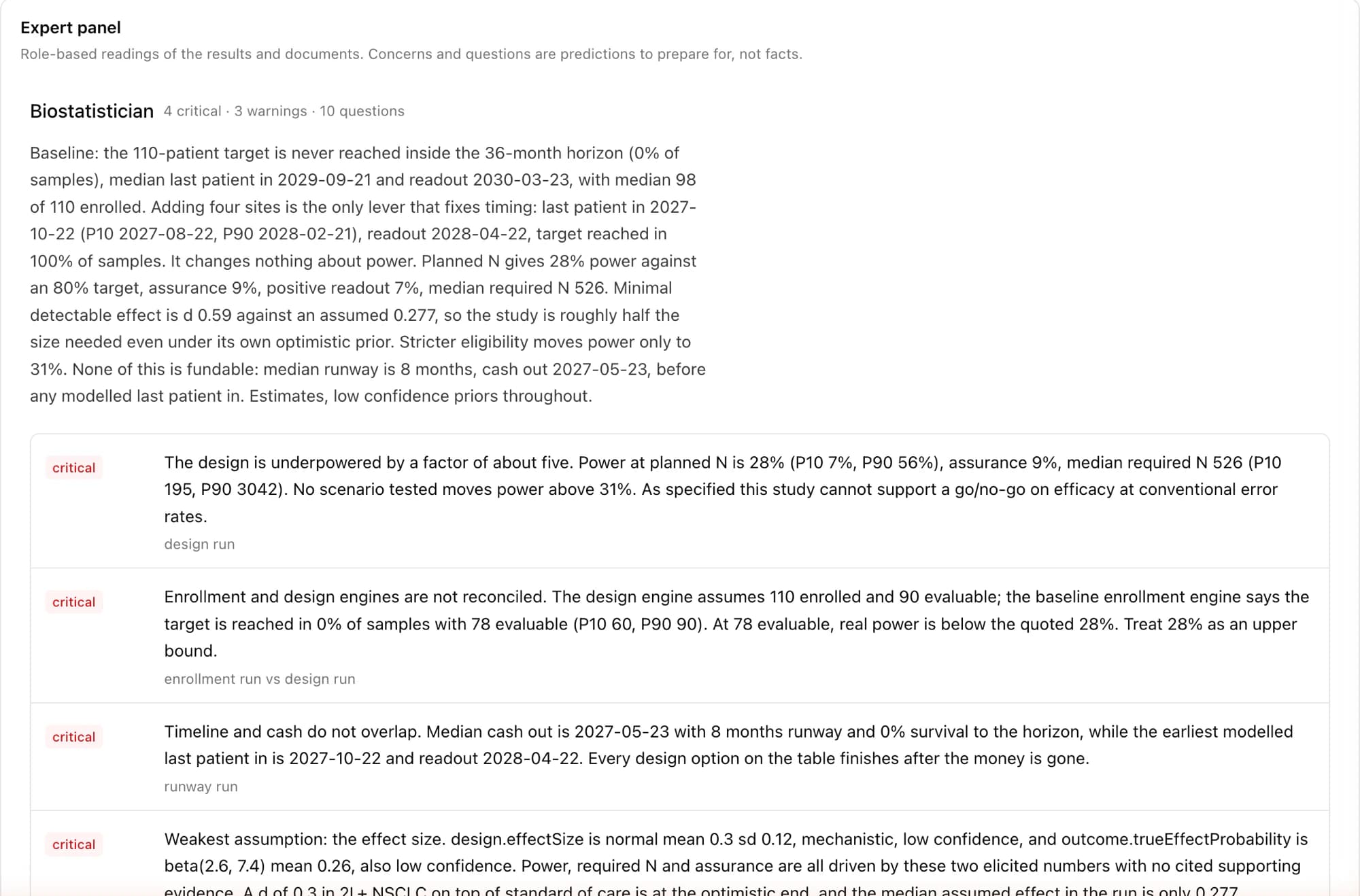
Findings and reviewer questions
Findings list the problems in each scenario with a severity. Expert reviewer personas read the results and your documents and return their concerns and the questions you should prepare for. The regulatory war game does this from the perspective of an agency reviewer.
Credibility record
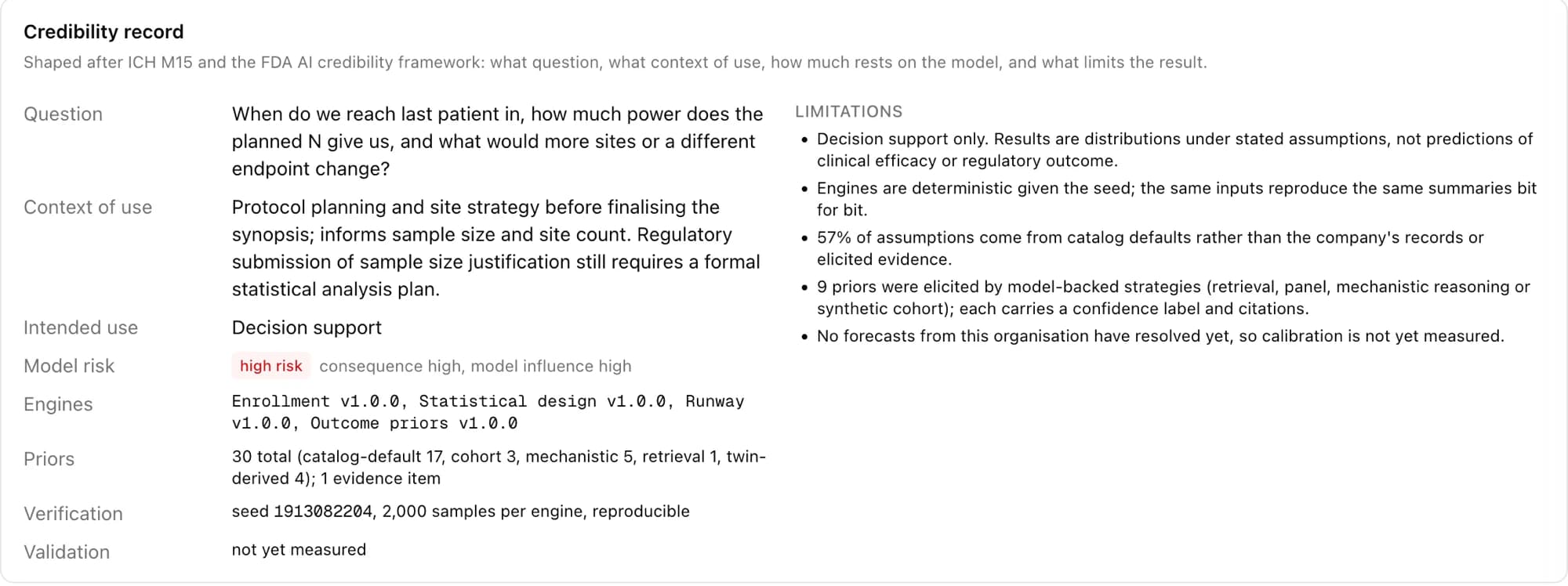
Each result records its assumptions and limits
The credibility record states the question, the intended use, how much depends on the model, where each assumption came from, and the limitations. It follows ICH M15 and the FDA AI credibility framework. Results are decision support, not predictions of efficacy or approval.
Assistant
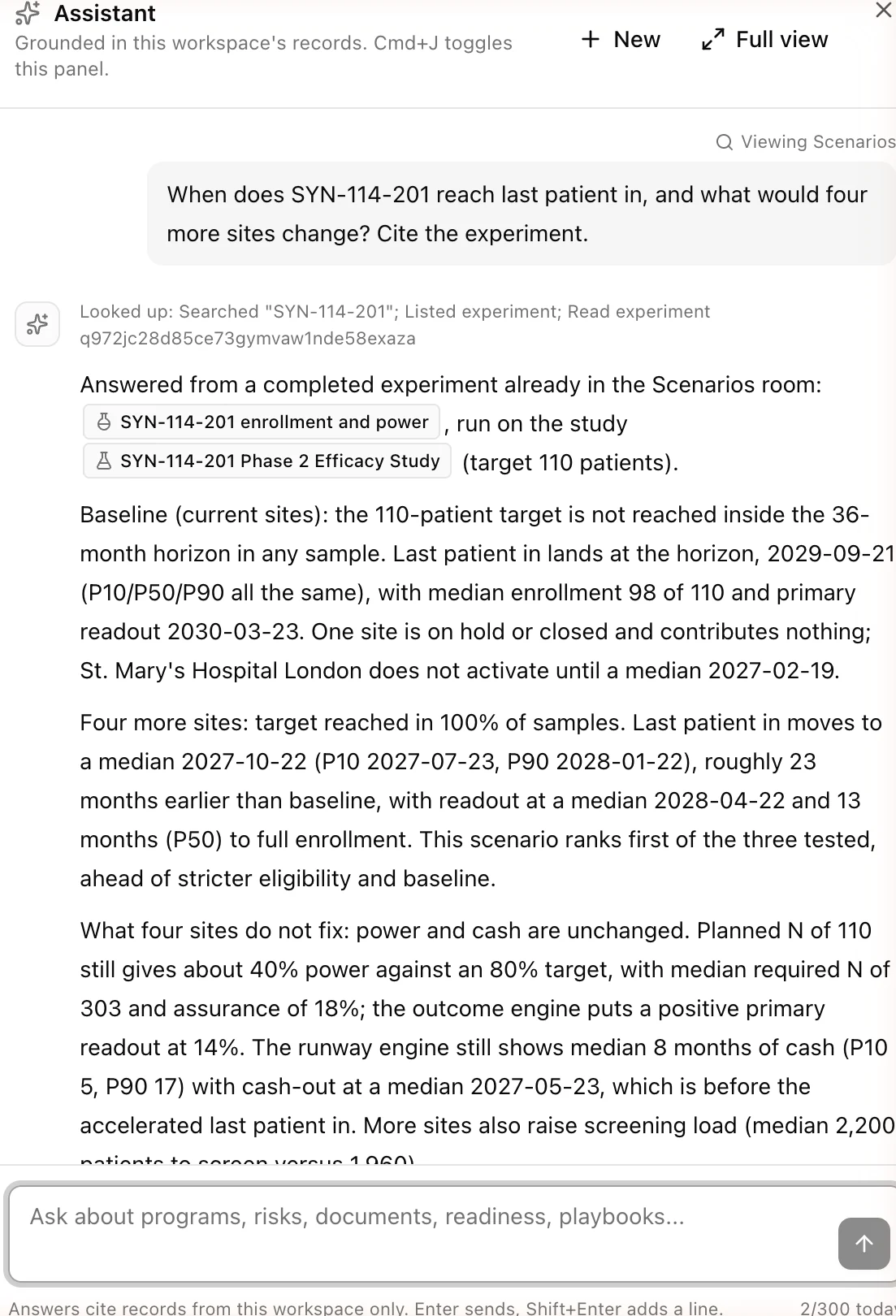
Answers from your own program, with citations
Ask when last patient in is expected and what four more sites would change. The assistant answers from your records and completed experiments, cites them, and says what the numbers do not answer.
- Answers only from your records, with a citation for every claim
- Reads programs, documents, tasks, risks, submissions and playbooks
- Starts an experiment for what-if questions and reads the results back
- It cannot change records. It tells you which room to use instead
Rooms
Every function of the company in one system
Regulatory, clinical, manufacturing, quality, supply, finance, vendors and legal each have a room, and all rooms use the same records. If you change a batch date in Supply Chain, the timeline, the simulations and the assistant use the new date.
Platform
- Mission Control
- Playbooks
- Scenarios
- Data Room
- Timeline
- Risk Register
- Assistant
Development
- Regulatory
- Clinical
- Clinical Ops
- Nonclinical
Manufacturing
- CMC
- Quality
- Supply Chain
Operations
- Finance
- Vendors
- Legal and IP
- Settings
Trust
Built for inspection
Data isolated per organization
Every record belongs to one organization, and every read and write is checked against it.
Audit trail on every change
Every change records who made it, when, the previous value and the new value, in a log that cannot be edited.
Part 11 electronic signatures
Each signature records the signer, its meaning and a hash of the content, and links to the previous signature. Signatures are never deleted.
Documented
Our compliance status, subprocessors and how to report a vulnerability are on one page.
See it with your own program
We start the demo on a sample company, then use your own records. Bring a decision you are currently considering and we will simulate it during the call.